
All Photos & Videos Recovery
Tools
get more information
 get more information
 - 4.4 RATINGS
- 1M+ DOWNLOADS
- 4+ AGE
Advertisement
Related Apps
AntiVirus Toolkit
4.5Wishes, Messages & Greetings
4.6Dating and Chat - Lovector
4.3Recovery Lost Photos & Videos
4.2Hub Video Downloader
4.5Photo Lock: Hide Videos, Pics
4.4Antivirus Shield & Cleaner
3.5Pro VPN - Private & Fast
5Private Hub-Video Downloader
4Private Saver:Video Downloader
4.1PXPlay: Remote Play
4.6Game Booster 4x Faster Pro
4.6









About This App
Advertisement
- Name All Photos & Videos Recovery
- Category Tools
- Price 0
- Safety 100% Safe
- Developer SolidDevsKit
- Version 1.3.0
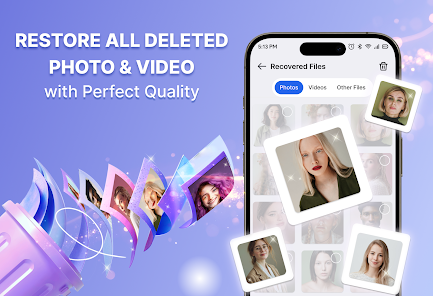
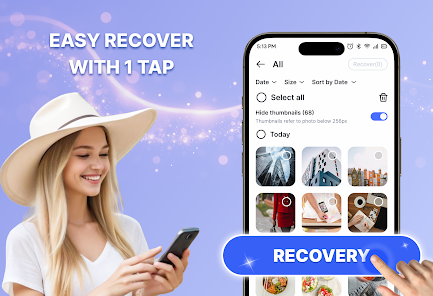
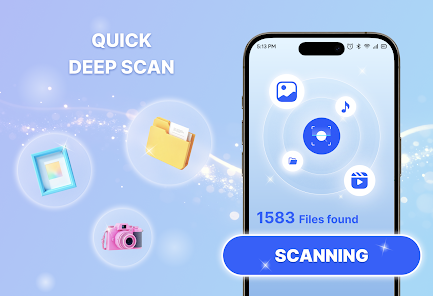
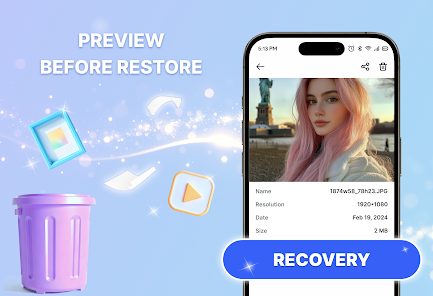
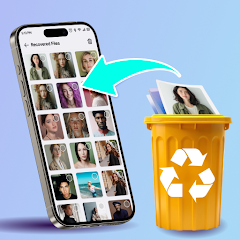
All Photos & Videos Recovery helps you scan your Android device and find files that may still be recoverable after deletion. You can preview results first, then choose the photos, videos, audio files, or documents you want to restore.
The app scans local storage on your device or SD card (device dependent) and lists items that may still be available for recovery. This helps you check results before restoring selected files.
❓What you can do with the app?
◆ Scan phone storage or SD card for files that may still be recoverable
◆ Find deleted photos and videos
◆ Recover audio files and documents
◆ Preview files before restoring
◆ Restore multiple files at once
◆ Sort and filter results by type, date, or size
◆ Remove duplicate or unused files to free up storage space
📂 Supported file types include
◆ Photos: JPG, PNG, GIF, HEIC, RAW
◆ Videos: MP4, MOV, MKV (device dependent)
◆ Audio: MP3, M4A, WAV
◆ Documents: PDF, DOCX, XLSX, PPT, TXT, and more
📩 Saved notification messages (optional)
◆ If you enable Notification Access, the app can save and show the message text that appears in notifications from supported apps, such as WhatsApp. This lets you read the message preview again later, making it easier to revisit messages you may have accidentally missed or lost.
◆ This works only for notifications received after you grant permission. The app does not sign in to your accounts, does not access your in-app chat history, and cannot recover messages that were never shown in a notification or were received before permission was enabled.
📝 Please note
◆ Recovery depends on your device, storage type, and whether deleted data has been overwritten. Files deleted a long time ago, cloud-only content, or data removed after a factory reset may not be recoverable.
🕵️ Your privacy matters
◆ Scanning and recovery run locally on your device. Your files and saved notifications are not uploaded.
The app scans local storage on your device or SD card (device dependent) and lists items that may still be available for recovery. This helps you check results before restoring selected files.
❓What you can do with the app?
◆ Scan phone storage or SD card for files that may still be recoverable
◆ Find deleted photos and videos
◆ Recover audio files and documents
◆ Preview files before restoring
◆ Restore multiple files at once
◆ Sort and filter results by type, date, or size
◆ Remove duplicate or unused files to free up storage space
📂 Supported file types include
◆ Photos: JPG, PNG, GIF, HEIC, RAW
◆ Videos: MP4, MOV, MKV (device dependent)
◆ Audio: MP3, M4A, WAV
◆ Documents: PDF, DOCX, XLSX, PPT, TXT, and more
📩 Saved notification messages (optional)
◆ If you enable Notification Access, the app can save and show the message text that appears in notifications from supported apps, such as WhatsApp. This lets you read the message preview again later, making it easier to revisit messages you may have accidentally missed or lost.
◆ This works only for notifications received after you grant permission. The app does not sign in to your accounts, does not access your in-app chat history, and cannot recover messages that were never shown in a notification or were received before permission was enabled.
📝 Please note
◆ Recovery depends on your device, storage type, and whether deleted data has been overwritten. Files deleted a long time ago, cloud-only content, or data removed after a factory reset may not be recoverable.
🕵️ Your privacy matters
◆ Scanning and recovery run locally on your device. Your files and saved notifications are not uploaded.
