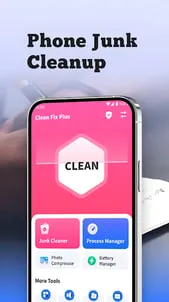
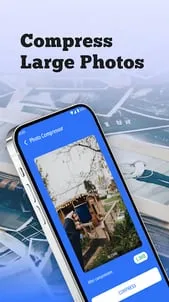
Clean Fix Plus
ToolsAbout This App
- ◫NameClean Fix Plus
- ≡CategoryTools
- ◆Price0
- ✓Safety100% Safe
- ↗DeveloperSolidDevsKit
- ○Version1.1.0
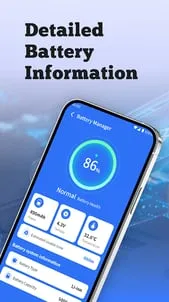
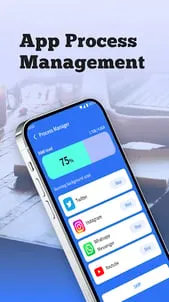
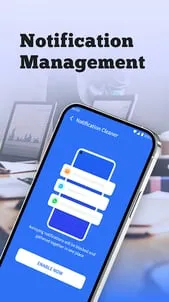
Description
Frequently asked questions
01How do I install this app after downloading it?
If you're an Android user and don't download the app from the official Google Play Store, you may find the installation process more complicated than usual.
02Is this app safe to use?
We fully understand your concern about safety. We agree that one person wouldn't be too careful in the cyber world. Meanwhile, we are happy to tell you that one of our priorities is to provide our users with safe app files that they can use without any worries. We guarantee that all the app files we provide originate from official and reliable sources. We promise that they do not contain any malware that will harm your hardware or the safety of your privacy.
03Is this app free to download?
We are happy to inform you that the answer is an absolute YES! All the apps on our website are 100% free to download. Besides, you do not have to create an account. Just click on the download button, and it's done.
04How do I find my account back?
Recently we received a lot of emails from our users saying they couldn't log in for different reasons, such as "forgot the user name or password" or "had a new phone." We are willing to help you out. To answer this question, please first let us know which account you're referring to. If you're referring to your account of some app, like your Facebook account or your Youtube account, unfortunately we would not be able to help in this case. We would suggest you turn to the customer service of this application.
05How do I cancel subscriptions?
This question is essentially quite similar to the prior one. It's a pity that we are unable to help you cancel the subscription to a third-party application directly, while we would suggest you contact its customer service for further information.
06How do I get a refund?
Sorry that we are unable to help you get a refund from a third-party application directly. If you wish to get a refund from a third-party app, we would suggest you contact its customer service. If you run into any site that asks you to provide your payment information, be careful. Remember never to reveal your payment information to any unauthorized third parties.
07How to use this app?
Sorry that we cannot answer this question directly, as this section only aims to answer some general questions. You may find how to use a certain app by checking our review page.