logo
IPTV Smart Player: LiveTV 4K

IPTV Smart Player: LiveTV 4K

Entertainment
Rating⭐️ 4.8
Downloads89K
File Size30 MB
✓

About This App

  • ◫NameIPTV Smart Player: LiveTV 4K
  • ≡CategoryEntertainment
  • ◆Price0
  • ✓Safety100% Safe
  • ↗DeveloperSolidDevsKit
  • ○VersionVaries with device
IPTV Smart Player: LiveTV 4K screenshot 1
IPTV Smart Player: LiveTV 4K screenshot 2
IPTV Smart Player: LiveTV 4K screenshot 3
IPTV Smart Player: LiveTV 4K screenshot 4
IPTV Smart Player: LiveTV 4K screenshot 5

Description

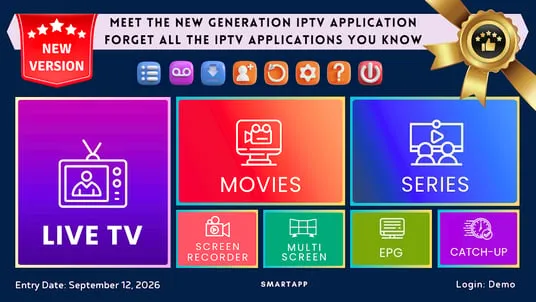
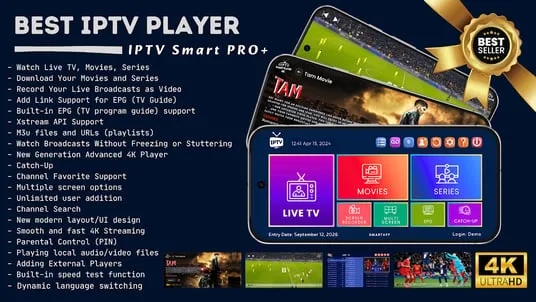
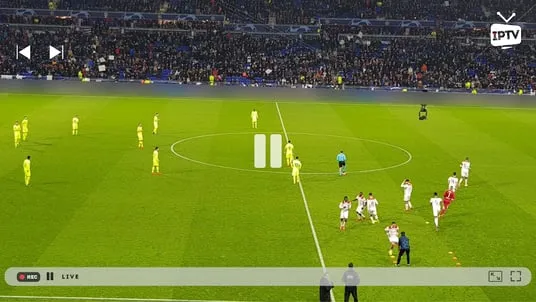
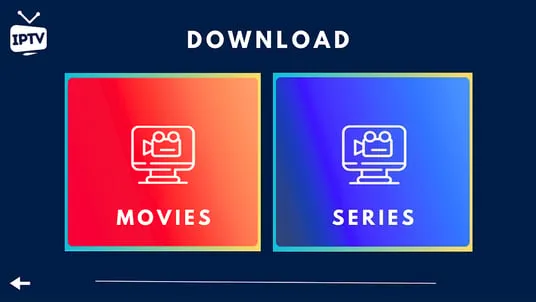
Welcome to the world's most popular IPTV Smart Player application. Powered by artificial intelligence technology, the IPTV Smart Player application is incredibly fast and efficient.- With IPTV Smart Player, you can easily watch live broadcasts, sports events, current movies, new season series, and TV shows in high definition on Android phones, tablets, Android TVs, and Chromebooks.- Download IPTV Smart Player, the next-generation IPTV player, now and enjoy unlimited entertainment! Forget all the IPTV apps you know! Experience the latest innovations now!- With IPTV Smart Player, you can record your live broadcasts as videos and watch them later, and instantly download your favorite TV shows and movies.- It supports all video formats, including SD, HD, and 4K, and resolutions such as 1080p and 720p, providing you with the best viewing experience.- Buy IPTV Smart Player once, use it for life. You don't need to renew the app every month or year. There are no ads. If you have any questions, please feel free to contact us and get support for adding a membership or other questions.- For more flexible live streaming in some countries, download VLC to your device. In the settings section, find and confirm VLC under the external player option. Then, in the player selection section, select VLC for live streaming and confirm.APP FEATURES:- Multilingual Support (All Languages)- Download your favorite movies and series.- Instantly record live streams as videos.- Xstream API Support- EPG (TV program guide) support- Add your EPG link to the app.- Add m3u files and URLs- The app supports all media formats. - Catch-Up (Rewatch missed broadcasts)- Add unlimited users- Parental Control (Encrypt Favorite Channels)- Advanced Subtitle Support- Next-Generation Advanced 4K Player (Three different options)- Watch Live Broadcasts, Movies, and Series in the best quality. - Watch Broadcasts Without Freezing or Lagging (Depending on your internet speed)- Add Channels, Movies, and Series to Favorites- Watch multiple channels simultaneously with Multi-Screen.- Advanced Channel Search- Scalable Live Broadcast Screen- Support for adding external players- New modern interface/user interface design- Play local audio/video files- Built-in speed test function- Dynamic language switching (Multilingual)- Move the app to another screen- Option to add VLC Player- and much moreIMPORTANT:- IPTV Smart Player and other IPTV apps do not provide media content. This is not specific to our app; all other IPTV apps are the same. To watch you need to add a playlist (Subscription) from your IPTV provider.

Frequently asked questions

01How do I install this app after downloading it?

If you're an Android user and don't download the app from the official Google Play Store, you may find the installation process more complicated than usual.

02Is this app safe to use?

We fully understand your concern about safety. We agree that one person wouldn't be too careful in the cyber world. Meanwhile, we are happy to tell you that one of our priorities is to provide our users with safe app files that they can use without any worries. We guarantee that all the app files we provide originate from official and reliable sources. We promise that they do not contain any malware that will harm your hardware or the safety of your privacy.

03Is this app free to download?

We are happy to inform you that the answer is an absolute YES! All the apps on our website are 100% free to download. Besides, you do not have to create an account. Just click on the download button, and it's done.

04How do I find my account back?

Recently we received a lot of emails from our users saying they couldn't log in for different reasons, such as "forgot the user name or password" or "had a new phone." We are willing to help you out. To answer this question, please first let us know which account you're referring to. If you're referring to your account of some app, like your Facebook account or your Youtube account, unfortunately we would not be able to help in this case. We would suggest you turn to the customer service of this application.

05How do I cancel subscriptions?

This question is essentially quite similar to the prior one. It's a pity that we are unable to help you cancel the subscription to a third-party application directly, while we would suggest you contact its customer service for further information.

06How do I get a refund?

Sorry that we are unable to help you get a refund from a third-party application directly. If you wish to get a refund from a third-party app, we would suggest you contact its customer service. If you run into any site that asks you to provide your payment information, be careful. Remember never to reveal your payment information to any unauthorized third parties.

07How to use this app?

Sorry that we cannot answer this question directly, as this section only aims to answer some general questions. You may find how to use a certain app by checking our review page.


Related Apps